
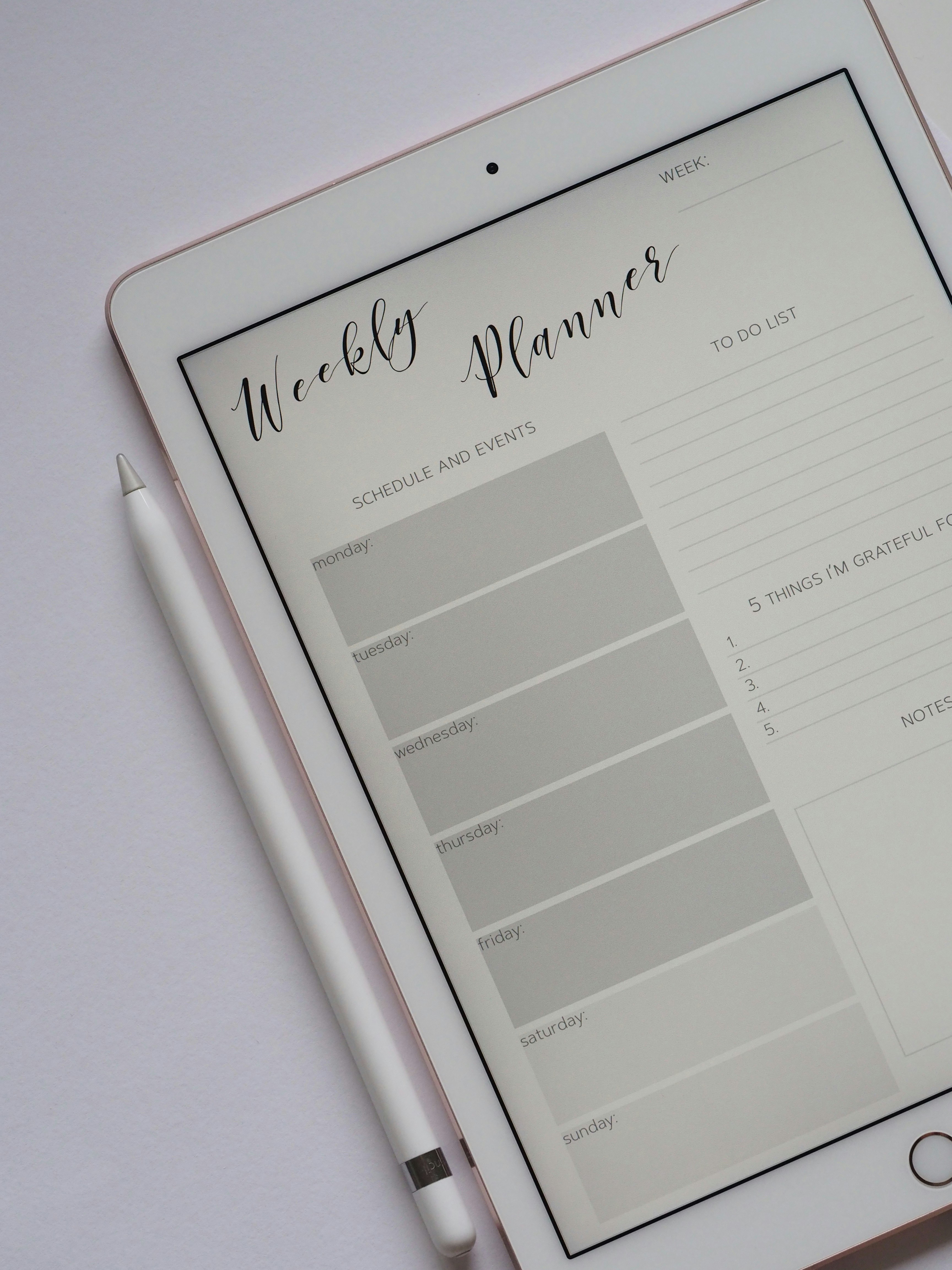
Introduction to Digital Planning
Digital planning has gained significant traction in recent years, offering users an innovative way to organize their thoughts, tasks, and schedules. Unlike traditional paper planners, which can be cumbersome and limited in functionality, digital planners provide enhanced convenience and versatility. With the advent of applications like GoodNotes and Notability, many individuals are turning to these best digital planner apps to streamline their planning process.
One of the primary benefits of digital planning is its level of customization. Users can choose different layouts, fonts, and colors, allowing for a personalized planning experience that better aligns with their individual preferences. Additionally, many digital planner apps come equipped with a variety of features, such as reminders, task lists, and even integration with calendars, making it easier to stay organized in today’s fast-paced environment.
Accessibility is another key advantage of digital planners. As long as users have a compatible device, they can access their planners anytime, anywhere. This flexibility is particularly beneficial for those who lead busy lives, as it allows for quick adjustments and updates on the go. Moreover, digital planners often support cloud storage, ensuring that important information is backed up and easily retrievable in case of device loss or damage.
The digital planning landscape has been significantly reshaped by the introduction of these advanced apps. With user-friendly interfaces and robust functionality, GoodNotes and Notability exemplify how technology can enhance the planning experience, paving the way for a more organized and productive lifestyle. As we explore the best digital planner apps available, we will delve deeper into the features that differentiate each one and how they can fulfill various planning needs.
What Makes a Great Digital Planner App?
A great digital planner app should encompass a variety of key features that cater to a user’s needs while enhancing the planning experience. One of the most important factors is the user interface design. A clean, intuitive interface allows users to easily navigate through features and functionalities, enhancing usability. The aesthetic appeal of the interface can also promote user engagement, contributing to a more effective planning experience.
Compatibility with styluses is another significant feature to consider when evaluating the best digital planner apps. For individuals who prefer taking handwritten notes or drawing diagrams, an app that supports various stylus options can make all the difference. This compatibility allows for greater flexibility and creativity when jotting down ideas or organizing tasks.
Organizational tools are crucial in establishing an efficient planning framework. Key elements may include customizable templates, various layout options, and the ability to categorize tasks, projects, or notes. An excellent digital planner app should provide an array of tools allowing users to create an organization system that works best for their individual needs.
Additionally, collaborative functions can enhance the effectiveness of digital planner apps, especially for users working in teams or groups. Features that enable sharing, commenting, and editing in real-time can significantly improve collaboration, making it easier for users to coordinate their plans and projects with others.
Finally, integration with other applications is a vital aspect that cannot be overlooked. Seamless connectivity with calendars, email platforms, and task management tools promotes efficiency, ensuring that users can synchronize their planning efforts across multiple applications. The best digital planner apps will facilitate this kind of integration, simplifying the user’s workflow.
Overview of GoodNotes and Notability
GoodNotes and Notability are two of the leading digital planner apps available for iOS users, particularly popular among students, professionals, and anyone keen on adopting a more organized and efficient lifestyle. These tools are tailored to enhance note-taking experiences and facilitate task management.
GoodNotes stands out for its intuitive handwriting recognition and the ability to import and annotate PDF documents. Users can create custom notebooks for various subjects, making it ideal for students or those with multiple projects. The app allows for easy organization through folders and searches handwritten notes seamlessly. Its user-friendly interface is enriched by various templates and backgrounds, catering to different planning styles. The focus on digital handwriting provides an authentic experience that many users cherish, as it closely mimics traditional writing.
On the other hand, Notability boasts robust audio recording features that sync notes with recorded lectures or meetings, making it particularly valuable for those who prefer auditory learning. This app is known for its ease of use and seamless integration between typed and handwritten notes. The split-screen functionality enables users to view multiple documents simultaneously, a feature appreciated by those who juggle various tasks. With options for editing, highlighting, and various annotation tools, Notability excels in making lengthy notes more accessible and organized.
Both apps serve different yet overlapping audiences. GoodNotes is favored by users who prioritize handwriting and personalized notebook management, while Notability may appeal more to those who require multimedia features integrated into their planning routine. Choosing between the two often depends on personal preference and specific needs in the digital planning landscape.
Top 10 Digital Planner Apps for GoodNotes and Notability
As the demand for digital planning continues to rise, various applications have emerged to complement tools like GoodNotes and Notability. Based on their popularity, user ratings, and seamless compatibility, here are the top ten digital planner apps that are highly recommended for those looking to enhance their planning experience.
The first app on our list is Zinnia, known for its stress-free design and numerous templates that help users stay organized. It integrates well with GoodNotes and offers a variety of customization options, making it a favorite among many planners.
Next is Notion, which has gained traction as an all-in-one workspace. Its flexibility allows it to function as a planner, note-taking app, and collaboration tool. Notion’s robust features make it a fantastic choice for digital planners.
GoodNotes itself deserves mention, as it not only allows for handwritten notes but also provides an intuitive planner experience. Its compatibility with various PDFs and excellent stylus support make it a primary tool in the digital planning space.
Todoist is another essential app, known for its task management features. It supports integration with GoodNotes, allowing users to create to-do lists and manage their schedules efficiently.
Microsoft OneNote stands out for its note-taking capabilities and organizational features. Its compatibility with a variety of devices allows it to serve as a versatile digital planner app.
Evernote has been a long-time favorite, providing a solid experience for digital planning and organization. With its extensive functions, it can effectively supplement planning needs.
The Digital Planner application by Paperlike offers a simple interface and numerous templates, optimal for those looking to utilize their iPad for planning activities. Its user-friendly nature is a significant draw.
Next, GoodTask combines task management with a planner view. It syncs with other platforms, providing a unified digital planning experience that works well with GoodNotes.
My Study Life focuses on school and academic planning, tailored for students. Its special features help track courses, exams, and assignments effectively.
Finally, Google Keep serves as a dynamic note-taking app that can be a powerful companion for digital planners, offering easy integration with GoodNotes and Notability for organizing thoughts and tasks.
Each of these apps has unique features and advantages, making them well-suited for individuals seeking the best digital planner apps for their needs. In the following sections, we will provide an in-depth breakdown of each application to help users determine which one best fits their planning style.
App Name: Overview and Features
The first app in our exploration of the best digital planner apps is App Name. This sophisticated planner is designed for both GoodNotes and Notability users, offering an array of features that cater to diverse planning needs.
One of the standout features is its highly customizable interface, allowing users to tweak layouts, colors, and fonts according to personal preferences. This level of customization not only enhances the aesthetic appeal but also boosts user engagement, making planning less of a chore and more of an enjoyable task. Additionally, App Name supports hyperlinks, enabling users to efficiently navigate between sections within the planner, thereby improving access to important notes and tasks.
User reviews highlight the app’s ability to integrate seamlessly with other digital tools, reflecting its versatility as a digital planner. Many users appreciate the ease of use, particularly when synchronizing tasks across devices. The option to utilize various templates for daily, weekly, and monthly planning has been cited as a significant advantage, as it simplifies the organizational process.
However, no app is without its drawbacks. Some users have reported occasional glitches during synchronization, which can disrupt the planning flow. Others have expressed a desire for additional features, such as integration with calendar applications. Despite these minor setbacks, the pros of App Name far outweigh the cons, particularly for those who value efficiency and organization in their daily lives.
Specific use cases have further demonstrated how App Name enhances the planning experience. Students have found it particularly beneficial for keeping track of assignments and deadlines, while professionals appreciate its utility in project management. With its user-friendly design and robust features, App Name stands out as a top choice among the best digital planner apps available today.
Overview and Features
The second app featured on our list of the best digital planner apps is “Planning Pro”. This application is designed with user versatility in mind, integrating flawlessly with both GoodNotes and Notability. Its interface is user-friendly, ensuring that even those new to digital planning can navigate it with ease. Planning Pro boasts numerous templates, enabling users to customize their planners to fit their unique styles and needs. Moreover, the app includes built-in features such as color coding, tags, and reminders, allowing for a more organized approach to planning.
User feedback has highlighted the app’s intuitive design, making it a preferable choice for many digital planners. Users particularly appreciate the synchronization capabilities across devices; you can start planning on your iPad and continue on your iPhone without losing any data. Additionally, the ability to collaborate on shared planners has made it a favorite among students and professionals who work in teams.
One significant advantage of Planning Pro over its competitors is its customizable planner layouts. Users can choose from daily, weekly, or monthly spreads tailored to their requirements. This feature is perfect for those who prefer structured planning, as it allows for a clear overview of tasks and appointments. For someone using GoodNotes or Notability, it is advisable to familiarize yourself with the app’s layers feature, which allows you to annotate and highlight while retaining the original template integrity.
To optimize your use of Planning Pro, establish a routine by reviewing your planner daily. Utilize the tagging system to prioritize tasks and leverage the reminders feature to stay on track with deadlines. By incorporating these tactics, you will maximize the effectiveness of this app as one of the best digital planner apps available.
Overview and Features
The third app featured in our selection of the best digital planner apps is Notion. Notion stands out in the realm of digital planning not only for its versatility but also for its robust feature set that caters to a diverse range of user needs. This app combines note-taking, task management, and database functionalities, making it an ideal choice for individuals seeking a comprehensive planning solution.
One of the key features of Notion is its customizable interface. Users can create personalized pages tailored to their individual planning styles. This flexibility allows one to design their planning workspace, incorporating various elements such as to-do lists, calendars, and kanban boards. Furthermore, Notion’s integration of templates enhances productivity, offering pre-built structures for effective project management and personal organization.
Another noteworthy aspect of Notion is its collaborative capabilities. Users can easily share their pages with others, which makes it suitable for both personal and team planning. By enabling real-time collaboration, Notion fosters improved communication and coordination among team members, making it a strong contender in the best digital planner apps category.
To effectively integrate Notion into your daily routines, consider establishing a habit of updating your planner at a specific time each day. For instance, spending ten minutes each morning to outline your tasks can significantly boost your productivity. Utilizing Notion’s reminder feature is another practical suggestion, ensuring you stay on track with your planning goals.
Ultimately, Notion’s blend of flexibility, collaboration, and unique features position it as an exceptional tool within the suite of digital planner apps, appealing to a wide array of users seeking organized solutions for their planning needs.
Overview and Features
The fourth app in our list of the best digital planner apps is PlannerPro. This application has gained popularity among users due to its comprehensive features and seamless integration with GoodNotes and Notability. PlannerPro is designed for individuals who want to elevate their organizational skills while enjoying a user-friendly interface.
Among its most notable features is the customizable layout, which allows users to create personalized planners tailored to their unique needs. Whether it’s for daily tasks, weekly goals, or monthly projects, PlannerPro offers flexibility that accommodates various planning styles. The app also supports multimedia notes, enabling users to enhance their digital planners with handwritten notes, images, and audio recordings.
Integration with GoodNotes and Notability adds an extra layer of utility, allowing users to import and export their planner materials easily. This synergy helps users leverage the strengths of each application, providing a holistic approach to digital planning. Additionally, PlannerPro offers sync capabilities across multiple devices, ensuring that users have access to their planners whenever and wherever they need.
User testimonials highlight the app’s strengths in managing both personal and professional tasks. One user stated, “PlannerPro has completely transformed how I organize my life; it’s intuitive and efficient, making planning enjoyable.“ This sentiment reflects the app’s ability to cater to a diverse range of planning needs.
As an ideal choice within the best digital planner apps, PlannerPro stands out for its customization options, ease-of-use, and robust integration capabilities. Emphasizing both functionality and user satisfaction, it continues to be a favored tool for digital planners keen on optimizing their productivity.
Conclusion: Choosing the Right Digital Planner App
In the rapidly evolving landscape of digital tools, selecting the right digital planner app is crucial for enhancing productivity and managing time effectively. As highlighted throughout this guide on the best digital planner apps for GoodNotes and Notability, each application offers unique features tailored to various user needs. Whether you prioritize a simple interface, advanced organizational features, or compatibility with your preferred device, understanding your own requirements is vital.
When evaluating digital planner apps, consider factors such as ease of use, customization options, and how well they integrate with other tools you may already be employing. Some users may benefit from apps focusing on straightforward task management, while others might prefer those emphasizing note-taking or scheduling functionalities. The best digital planner apps serve as a companion in your daily routine, enhancing focus and clarity.
Moreover, reviewing user feedback and exploring trial versions can provide deeper insights that help in making an informed decision. Each of the apps discussed offers distinct advantages, allowing users to find one that aligns seamlessly with their workflow and personal style. Ultimately, the choice rests on finding a digital planning solution that resonates with your habits and lifestyle.
As you explore the options presented in this blog post, take the time to assess how each app can support your specific planning needs. Engage with the features, test the usability, and visualize how they might refine your strategy for daily, weekly, or monthly planning. By doing so, you can ensure that the digital planner you select enhances your productivity, making organizing tasks a more efficient and enjoyable experience.